
01
Presence and usage distribution
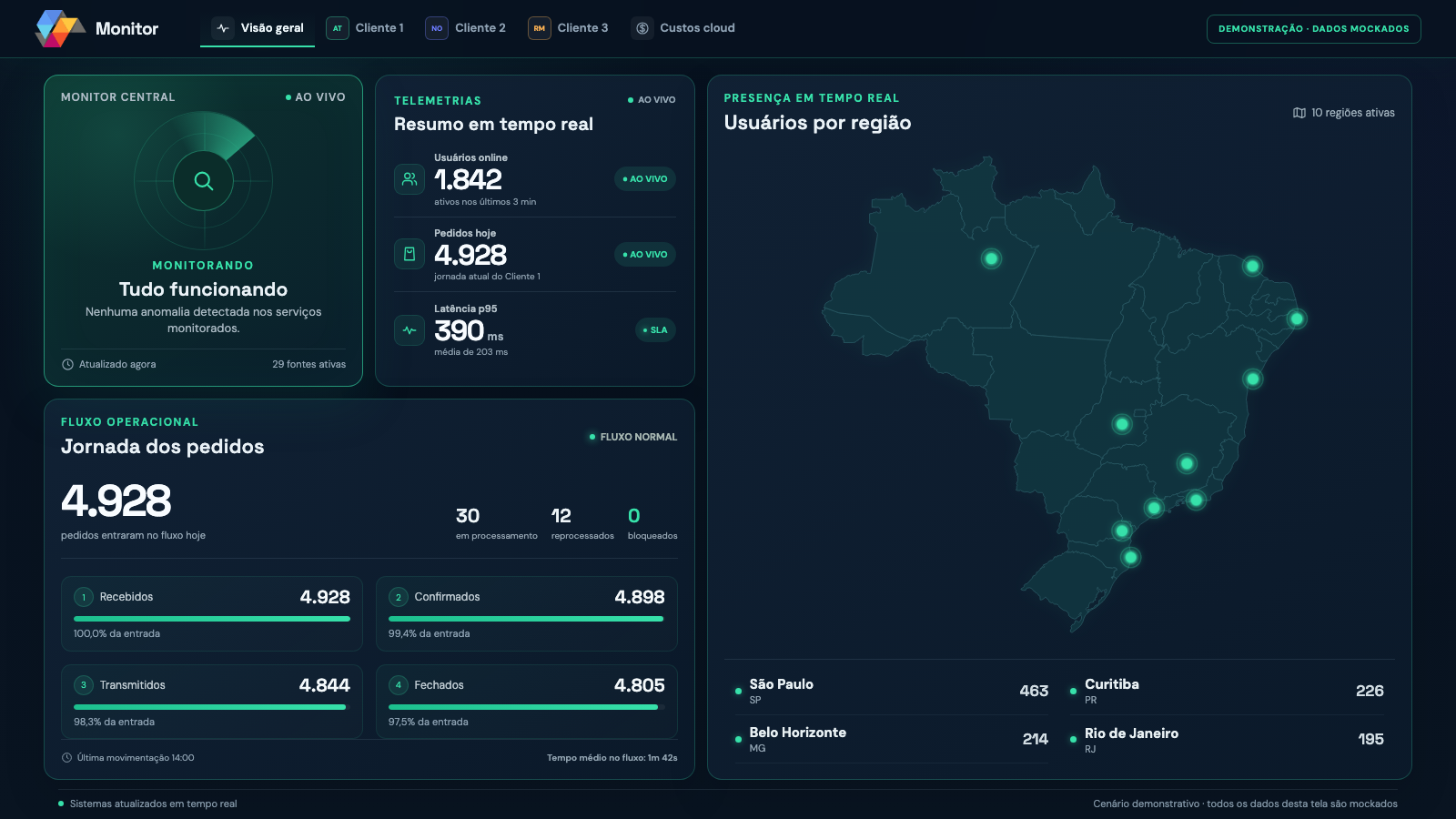
Track online users by customer and platform, with an aggregated view by region. See where operations are active.
Visibility that drives action
 Solumobi SOLUMOBIMonitorOperations Monitoring Hub
See the signal. Understand the impact. Act with context.
User presence, order journeys and incidents in one connected view. See where the flow stopped and give your team the context to act.
Signals that guide the response
A view of activity, workflows and failures for teams that need to monitor operations and coordinate the response.
Track online users by customer and platform, with an aggregated view by region. See where operations are active.
Follow Received, Confirmed, Transmitted and Closed stages. Identify where the flow needs attention.
Visual and audible alerts highlight failures. OK, Error and Resolving states make the response status clear.
Explore the technical sequence of events, source and app version. Investigate with context instead of relying on isolated reports.
Link incident ownership to a task. Follow your team's response and recovery validation.
Review monthly costs, daily trends and service breakdowns. Compare periods and see forecasts when available.
From signal to recovery
Monitor preserves incident context throughout the response. Recovery requires validation, and a new occurrence brings the issue back to your team's attention.
Presence and order journey in one clear view.
Order journey
Missing data needs attention; it does not mean operations are healthy.
Technical context shows where the flow stopped.
Incident sequence
The team acts with incident context preserved.
Incident sequence
The alert highlights the failure, its source and the observed impact.
An operator takes ownership, silences the alarm and can create a Trello task.
Resolution is validated after a recurrence-free window. A new failure reopens the incident.
Connected to operational signals
Presence signals, journey events and technical errors feed the hub. Coverage starts with a priority workflow and grows with the sources and integrations validated in the pilot.
The planned collection uses sanitized events, pseudonymized identifiers and approximate location. It does not require commercial order content or personal data to explain a failure.
Solumobi MonitorBefore connecting
No. It follows signals from integrated systems and helps explain activity and incidents. Sales, Inventory, Transport and your ERP retain their roles.
We define a priority workflow, data sources and the response routine. The project is in a pilot phase; coverage, integrations and availability are aligned during the demonstration and proposal.
Monitor observes, alerts and guides the response. Your team takes ownership and validates recovery; the pilot does not perform automatic remote remediation.
No. The overview is captured from the product with demonstration data. The interactive incident panel is conceptual; neither is connected to customers or systems on this page. The product demonstration explains the workflow and scope relevant to your operation.
Start with the workflow that matters most
Explore Monitor in a demonstration and define your pilot's sources and coverage with us.